300+ Built-in Nodes
A Node for Every Job
Browse categories — Triggers, AI, Database, ERP, CRM, Communication and more — and drag any node straight onto your workflow canvas.
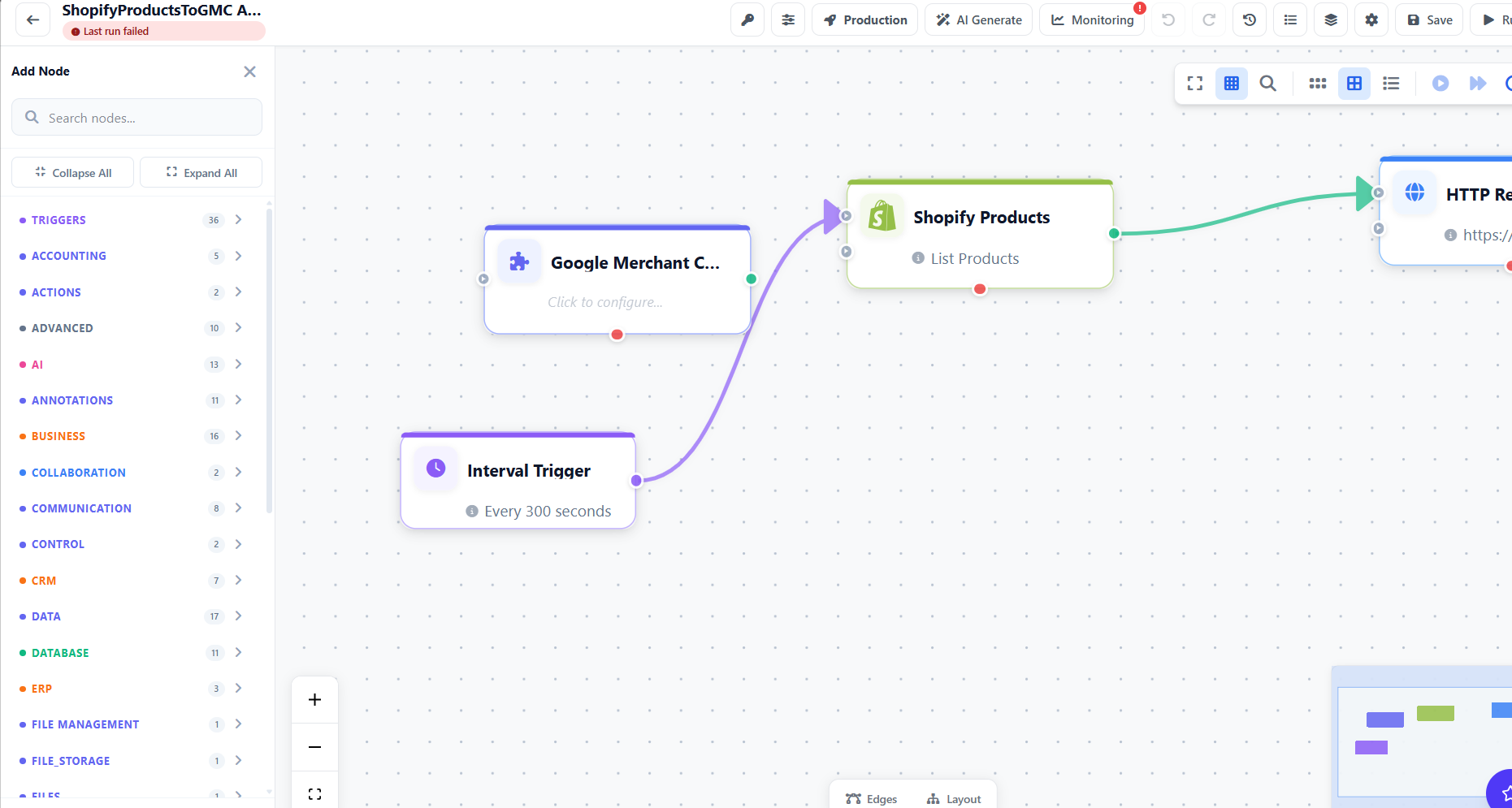
Unodeskly connects the apps your business already uses — ecommerce, CRM, accounting, email, productivity and more — with secure OAuth connections and no code required.
Browse categories — Triggers, AI, Database, ERP, CRM, Communication and more — and drag any node straight onto your workflow canvas.
Every integration connects into your workflows so data moves automatically between your tools.
Sync orders, inventory and customers automatically
Popular workflow: New Shopify order → Update inventory → Send customer email → Log to QuickBooks
Automate your lead and pipeline management
Popular workflow: Form submission → Create CRM contact → Assign to rep → Send welcome sequence
Keep your books in sync without manual data entry
Popular workflow: Shopify order paid → Create QuickBooks invoice → Mark as paid → Notify accountant
Automate across the full Microsoft ecosystem
Popular workflow: New Teams message → Extract data → Update SharePoint list → Send Outlook summary
Trigger and send messages across every channel
Popular workflow: Lead form fills → Add to Mailchimp list → Send Slack alert to sales → Log in CRM
Keep tasks and projects in sync automatically
Popular workflow: New support ticket → Create Jira issue → Assign to team → Notify via Slack
Read and write to any database in your workflows
Popular workflow: API trigger → Query database → Transform data → Write results to Google Sheets
Connect anything with HTTP requests, webhooks and custom code
Connect any app that has an API — even ones without a pre-built node, using the HTTP node and custom headers.
Every integration is OAuth-secured or credential-based — you authenticate once and reuse across all your workflows.
Connect your app using OAuth or API credentials. Credentials are encrypted and stored securely — never exposed in plain text.
Drag the integration node into your workflow canvas. One credential works across every workflow that needs it.
See exactly what each integration did, what data moved, and how long it took — in the execution log.
If your tool has an API, you can connect it using the HTTP node, webhooks, or by building a custom node. Any REST API, GraphQL endpoint, or webhook-capable service works.
Call any REST API directly from your workflow
Receive real-time events from any service
Build a reusable node for your internal tools
Build your first integration workflow free — no credit card, no code.